Choose an E-Reader Around the Books You Really Read
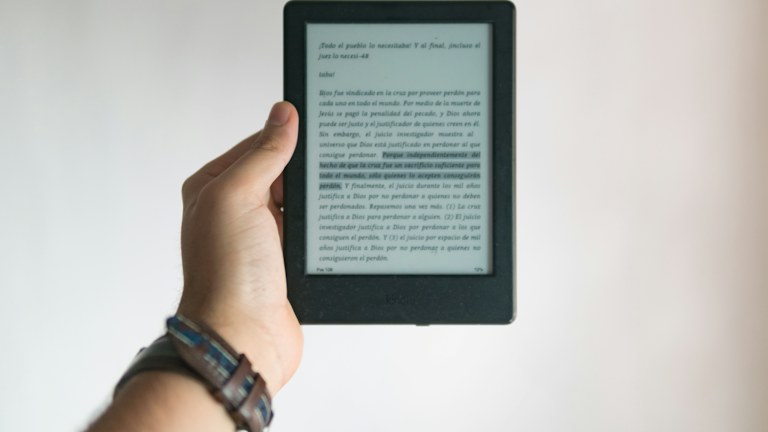
Photo: César Abner Martínez Aguilar / Unsplash License. Stock photograph for illustration; no product endorsement is implied.
An e-reader is easiest to choose when you begin with your reading habits rather than a list of hardware features. Novels, illustrated books, library loans and large PDF documents place different demands on the device. A model that feels excellent for one kind of reading may be frustrating for another, even if both readers describe themselves as frequent readers.
This guide provides a way to compare devices without claiming hands-on tests of particular models. Check current store, library and format support for the exact device and your region before buying. Those relationships can change, and they often matter more than a small difference in screen size or storage capacity.
In this guide
- Start with the sources of your books
- Match screen size to the material
- Evaluate comfort over a reading session
- Check text and lighting controls
- Decide whether annotation is central or occasional
- Treat storage and battery claims realistically
- Consider durability and accessories
- Test the store and organization experience
- Make the final choice with representative reading
Start with the sources of your books
List where your reading material comes from: a particular ebook store, a local library, public-domain collections, work documents or files you already own. Confirm that the device supports the relevant formats and access methods. A broad statement that a device reads ebooks does not explain whether it can open every book in your existing collection.
Library compatibility deserves a direct check with your library and the device provider. Availability can depend on the lending service, country and format. Do not assume that a friend's borrowing process will work identically in your location. If borrowed books are central to your reading, verify that route before comparing optional features such as note-taking or audiobook playback.
Match screen size to the material
A smaller device can be comfortable to hold and easy to carry, especially for reflowable text that adjusts to your preferred font size. Larger screens can be more useful for documents whose layout must remain fixed, but they also add weight and require more space in a bag. Consider what you actually read most often.
If PDFs, tables or illustrated pages are important, inspect representative examples on the device or through a reliable demonstration. Zooming and panning can become tiring when every page needs adjustment. A larger screen does not automatically solve all layout problems, and a tablet may suit some types of material better. Choose based on the documents rather than the category label alone.
Evaluate comfort over a reading session
Think about how you hold a book: one hand on public transport, both hands at a table or supported while reading in bed. Device weight, balance, edge shape and button placement can affect comfort. A specification for weight is useful, but the way a case changes the grip and balance matters too.
If possible, hold the device for more than a few seconds. Try changing pages with the hand you normally use and check whether accidental touches are likely. Consider whether physical page buttons are useful to you or whether touch controls feel natural. There is no universal answer; the important comparison is with your own reading position and mobility needs.
Check text and lighting controls
Look for the text settings that make reading comfortable: font size, spacing, margins and other display adjustments. Confirm that these controls apply to the kinds of files you use. Reflowable ebooks and fixed-layout documents may behave differently, so a feature demonstrated in a novel may not solve a problem in a PDF.
Examine the front-light controls in the environments where you read. Brightness range and light color adjustments may matter if you read at different times of day. Avoid treating one display technology as a guarantee of comfort for every person. If you have specific visual needs, test the relevant settings directly and consider available accessibility support before committing to a device.
Decide whether annotation is central or occasional
Highlighting a sentence occasionally is different from taking extensive handwritten notes or studying technical material. Check how annotations are created, organized, searched and exported. A device may make writing pleasant while keeping the notes inside a particular application or ecosystem. The exit route matters if you expect to use the material in another workflow.
For academic or professional use, test whether notes remain connected to the correct page and whether the export is useful outside the device. Do not assume that all books permit the same amount or type of export. Content restrictions and format behavior can differ. If annotation is only occasional, a simpler device may meet your needs without the cost and weight of a writing-focused model.
Treat storage and battery claims realistically
Text-only books and image-heavy documents use different amounts of storage. Audiobooks, where supported, can change the calculation further. Estimate your actual collection and whether you need everything stored locally. A large capacity figure may be less important than easy organization and a reliable way to download the books you want before traveling.
Battery-life claims depend on assumptions such as reading time, lighting and wireless use. Read the stated conditions and compare them with your routine. A device used for intensive note-taking or frequent downloads may behave differently from one used for a short daily reading session. Include charging convenience in the decision rather than focusing only on a headline number of weeks.
Consider durability and accessories
A case can protect the screen and improve grip, but it adds size and weight. Check the fit for the exact model and whether the cover affects buttons or charging access. If you plan to read near water or outdoors, examine any protection rating and its conditions carefully. A rating is not a promise against every accident or type of exposure.
Look at replacement accessories and support availability in your region. A device that depends on a specialized stylus or unusual charging accessory may be less convenient if replacements are difficult to obtain. Consider the total purchase rather than the device price alone, including the case or pen you would actually use.
Test the store and organization experience
Browse how books are found, downloaded and organized. Check whether you can create useful collections and retrieve a title without remembering exactly where it was purchased. If several family members share a household, understand the account and library-sharing options rather than assuming one account will suit everybody.
Review privacy and account requirements through the provider's current information. Decide whether the available controls fit your preferences. The reading experience includes the surrounding service, not just the screen. A device can be physically appealing while being inconvenient for the way you buy, borrow and manage books.
Make the final choice with representative reading
Before the return period ends, try an ordinary reading session, a download from your main source and a document that represents your most difficult use case. Check page turning, text size, lighting and any annotation workflow you consider essential. Use those observations to judge the purchase instead of continuing to compare features you do not need.
The right e-reader makes your existing reading habit easier to sustain. It should support the books you want, feel comfortable in your hands and fit the way you access material. A focused choice based on those needs is more reliable than buying the most elaborate model and hoping its extra features will create a new reading routine.